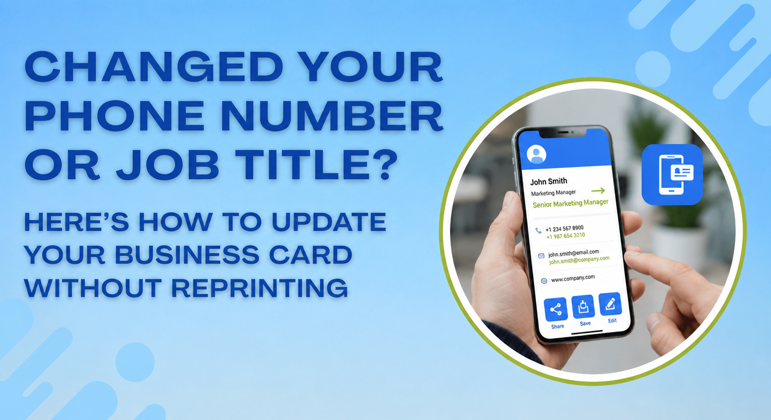
Most professionals have been through this at least once. You get promoted, change your number, move to a new company, or finally switch to a proper business email address. Then you open your desk drawer and find 400 printed business cards that are now completely wrong. You either hand them out anyway with a scrawled correction in the margin or you throw the entire batch away and spend money printing again.
This is one of the most common and most avoidable frustrations in professional life. Research shows that 30% of employees change jobs every year and that contact information decays fast enough that a significant portion of printed cards become inaccurate within 12 months of printing. If you have ever handed someone a card and then immediately said, “Actually, that number is wrong,” you already know the problem better than any statistic can describe it.
The fix is not a better printer. The fix is understanding how to update business card details without reprinting anything at all.
Why Paper Cards Break Every Time Something Changes
A printed card is a frozen moment. The instant you approve the design and send it to print you have locked in every detail on that card permanently. Change one thing and the entire batch becomes a liability rather than an asset.
The real cost is not just the reprint fee. A professional who hands out a card with an old phone number loses the follow-up call. A real estate agent whose card still shows a previous brokerage looks careless to a new client. A small business owner whose email domain changed and forgot to update the card sends mixed signals about their brand. Every wrong detail on a printed card quietly undermines the impression you are trying to make.
The math makes it worse. A standard run of 500 business cards costs between $50 and $150. Professionals who update their details once a year pay that cost annually, on top of the waste of discarding perfectly printed cards that are simply out of date.
The Smarter Approach That Professionals Are Switching To
A digital business card solves this completely. You create it once, and it lives at a permanent link and QR code. When your phone number changes, you log in, update the number, and save. Every person who has ever scanned your QR code or saved your link now sees the corrected number the next time they open it. The QR code does not change. The link does not change. Only the information behind it updates, and it does so instantly.
ShareEcard works exactly this way. Your card lives at a permanent shareable URL and QR code. You can update your job title, phone number, email address, company name, or website at any point, and the change goes live immediately across every version of your card that has ever been shared. Nobody needs to rescan anything. Nobody needs to download an update. The information is simply current the next time they open it.
This is what makes a free digital business card for small business owners genuinely valuable beyond just saving printing money. You build the card once, and it stays accurate indefinitely regardless of how many times your details change underneath it.
How This Works in Real Networking Situations
The moment you switch to a digital card, your contact information becomes something you control rather than something you are stuck with. Here is how that plays out across the situations that matter most.
At conferences and events: When you know how to network at a conference without paper business cards, you stop worrying about running out or handing over outdated details. You pull up your QR code on your phone, and the person scanning it gets your current information in under five seconds. No app required on their end. No friction for them at all. They scan with their regular phone camera, and your details open in their browser.
In your email: Adding a digital card link to your email signature takes one line of text. Every email you send after that carries a live version of your contact details that stays accurate automatically. Learning how to add a business card to your email signature this way means you never have to update your signature separately when your details change because the card itself updates and the signature link always points to the current version.
On LinkedIn: Pasting your ShareEcard URL into your LinkedIn profile contact section is how to share your business card on LinkedIn without any awkward self-promotion. It sits naturally in your contact information just like a website URL would. Anyone who visits your profile and wants your details clicks the link and gets everything, including your phone number, which LinkedIn hides by default.
Via text or WhatsApp: When someone asks for your contact information and you are not face-to-face, you send them your ShareEcard link directly in the message. They tap it and your card opens in their browser. This is how to share contact information without a business card in the most direct and frictionless way possible. No paper needed. No card to photograph. No details to type manually.
The Specific Problem This Solves for Real Estate and Trade Professionals
A free digital business card for real estate agents is particularly valuable because real estate professionals change brokerages, get new license numbers, and update their active listing links more often than most industries. A printed card from two years ago in the industry can carry a brokerage name that no longer applies and a phone number that has been reassigned. A digital card sidesteps all of that because the agent updates their profile once, and every past contact automatically has the new information.
The same logic applies to tradespeople, freelancers, and anyone running a small business. Your business identity changes as you grow. Your card should keep pace with those changes without costing you money every time something moves.
What About the People Who Already Have Your Old Card
This is the part most professionals overlook when they think about switching. If someone has your old printed card in their wallet, there is nothing you can do about the outdated information on it. If someone has your digital card link or your QR code saved anywhere on their phone, they automatically see your updated details the next time they open it.
This matters most for the contacts you want to hear from most. The client you met six months ago who might be ready to buy now. The recruiter who saved your details at an industry event. The referral source who has been meaning to send someone your way. All of them reach your current information when they act on it rather than hitting a dead number or a closed email address.
The Environmental Side That Professionals Are Starting to Factor In
Switching to a digital card is the simplest available eco-friendly alternative to paper business cards for most professionals. Over 10 billion cards are printed annually, and 88% are discarded within a week. A single digital card eliminates your contribution to that permanently. You create it once, and it works indefinitely regardless of how many times your details change behind it.
If you still want something physical to hand over in traditional industries or formal settings, you can pair your digital card with a single reusable QR code card printed on metal or bamboo. The QR code on that physical card always points to your current digital profile. One card lasts indefinitely because the information behind it never needs to be reprinted.
See also: Brisbane Commercial Burnished Concrete: A Complete Guide for Businesses
FAQs
How do I update my business card details without reprinting?
You switch to a digital business card hosted at a permanent link and QR code. When you update the information online, every person who has ever accessed your card through that link or code sees the new details automatically without you needing to resend anything.
What happens to people who already have my old QR code when I update my card?
Nothing changes for them except the information improves. The QR code and link stay the same permanently. Only the contact details behind them update. Anyone who scans the same QR code they saved six months ago gets your current information immediately.
Can I use a digital card at networking events without the other person needing an app?Yes. A free digital business card with no app required on the recipient side works through any standard smartphone camera. They scan your QR code, and your card opens in their browser. No download prompt appears, and no account is needed.
Is a digital business card free for small business owners?
ShareEcard offers a genuinely free digital business card for small business owners with no subscription and no time limit on the free plan. You create your card using an industry-specific template and share it immediately via QR code or direct link.
How do I save someone else’s paper card to my phone contacts accurately?
The best way to save paper business cards to phone contacts is to use your phone camera’s built-in text recognition or a contacts app that scans card details automatically. Going forward you can ask contacts to share their digital card link instead and skip the scanning step entirely.
